
Build beats in your space.
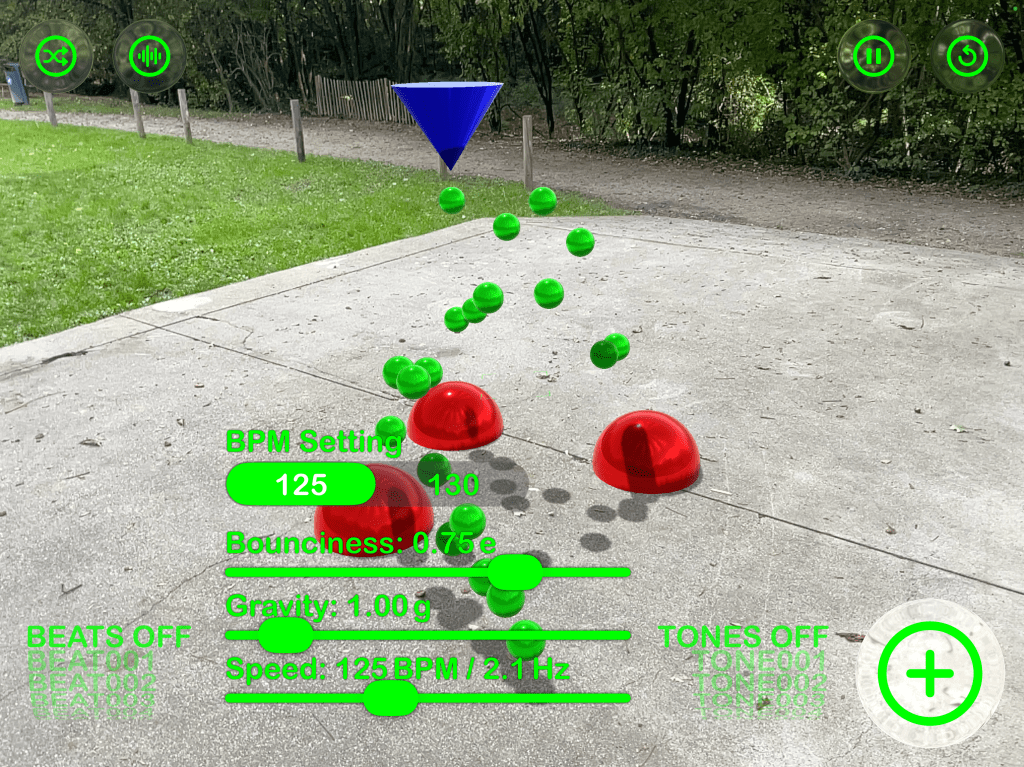
Turn any surface into a playful drum machine. Place reactors in AR, drop bouncing balls, and let physics create evolving rhythms. Every reactor carries its own sound—tap to pick one from 100+ effects, or shuffle for happy accidents. Add beat loops and tone sequences, tweak speed, bounciness, and gravity, and watch (and hear) your room groove.
How it works
– Move your device to scan—use the focus brackets to place your first reactor.
– Tap + to add more reactors and shape the rhythm in space.
– Tap a reactor to choose its sound from the built-in library (or randomize).
– Adjust Speed, Bounciness, and Gravity to sculpt the feel.
– Blend in beat loops and tone sequences at 125 or 130 BPM.
Highlights
– 100+ sound effects for reactors, plus curated loops & tone lines
– Real physics = natural grooves (balls live ~10s for constant motion)
– Tap-to-assign sounds with searchable picker & instant preview
– Quick BPM switch (125 / 130) and global speed control
– Glass UI (iOS 26) — cleaner, brighter, more touch-friendly
– Pause/Resume, randomize sets, long-press to delete reactors
– Works offline. No logins. No ads.
What’s New
– Complete UI redesign with the new iOS 26 Glass style
– New coaching overlay & focus square for faster placement
– Rebuilt audio engine & sound browser (search, preview, tap-to-apply)
– Record an audio session and share by mail or Air-Drop
– Snappier performance, smoother animations
– Pan on empty space to move the directional light (orbit + height) for dynamic shadows
– General polish across AR placement, labels, shadows, and controls
Tip: Spread reactors at different heights and tweak gravity for polyrhythms. Short bounces = tighter grooves; higher throws = airy, evolving patterns.
Enjoy exploring rhythms in 3D

 zay.ch